
Row Workflow Status Column
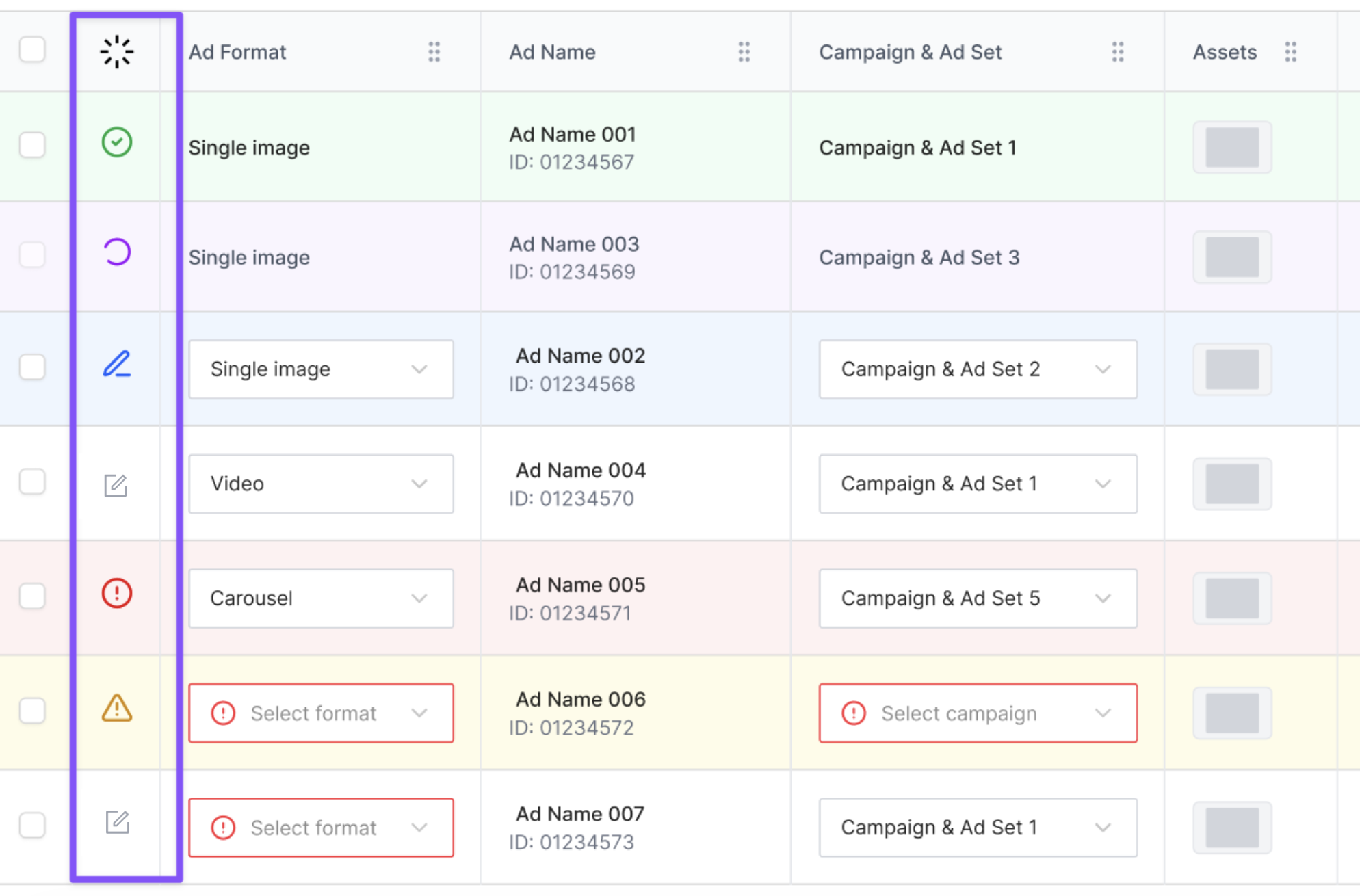
We’ve introduced a unified Status column in Launch Sheets to give you clearer visibility into each row’s progress.
What you can see now
Each row displays its current workflow status:
Draft
Editing
Launched
Error
Warning
Each status includes a color indicator for quick and easy scanning.
💡 Tip
Use the Status column to quickly identify rows that need attention (e.g. errors or warnings) before launching ads.