
What if I upload three assets: 4x5, 9x16, and 1x1 but in the wrong order?
Assets are mapped to their relevant placement by their position. Per default the Placement Customization settings expect a 1x1 asset in the first position, a 4x5 asset in the second position and a 16x9 asset in the third position.
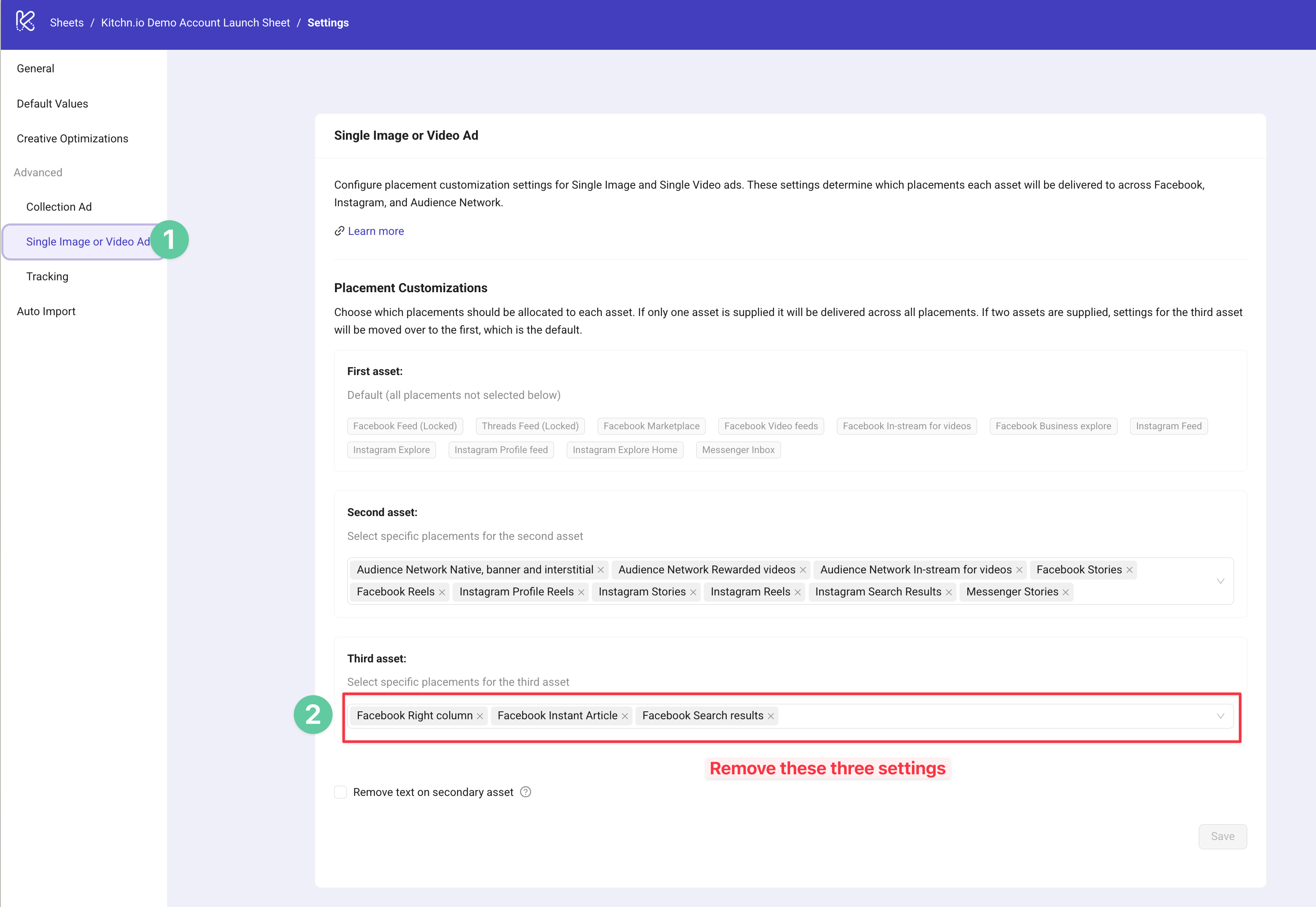
When you upload three assets, e.g. 4x5, 1x1, 9x16 the third asset will appear on all placements that are currently selected in the Placement Customization Settings, per default those are Facebook Right Column, Facebook Instant Article and Facebook Search Results.
How to fix:
Whichever asset you want to show up on Facebook Feed, you should add as the first asset: typically a 1x1 asset.
Whichever asset you want to to show up on Stories placements, you should add as the second asset.
If you want to use a third asset that is not the default 16x9, you also have to update the placement settings.
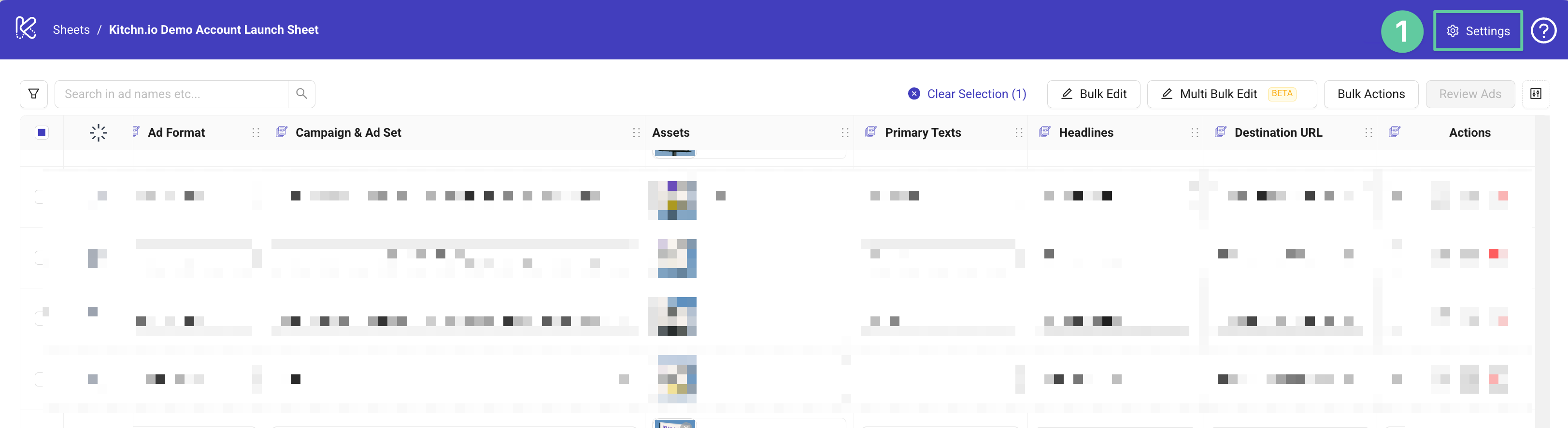
Step 1: Navigate to the Settings
Step 2: Choose the "Single Image or Video Ad" Setting and remove the three placements currently used for the third asset.
Step 3: Add the placement, where you want your 4x5 asset to appear, e.g. Instagram Feed.
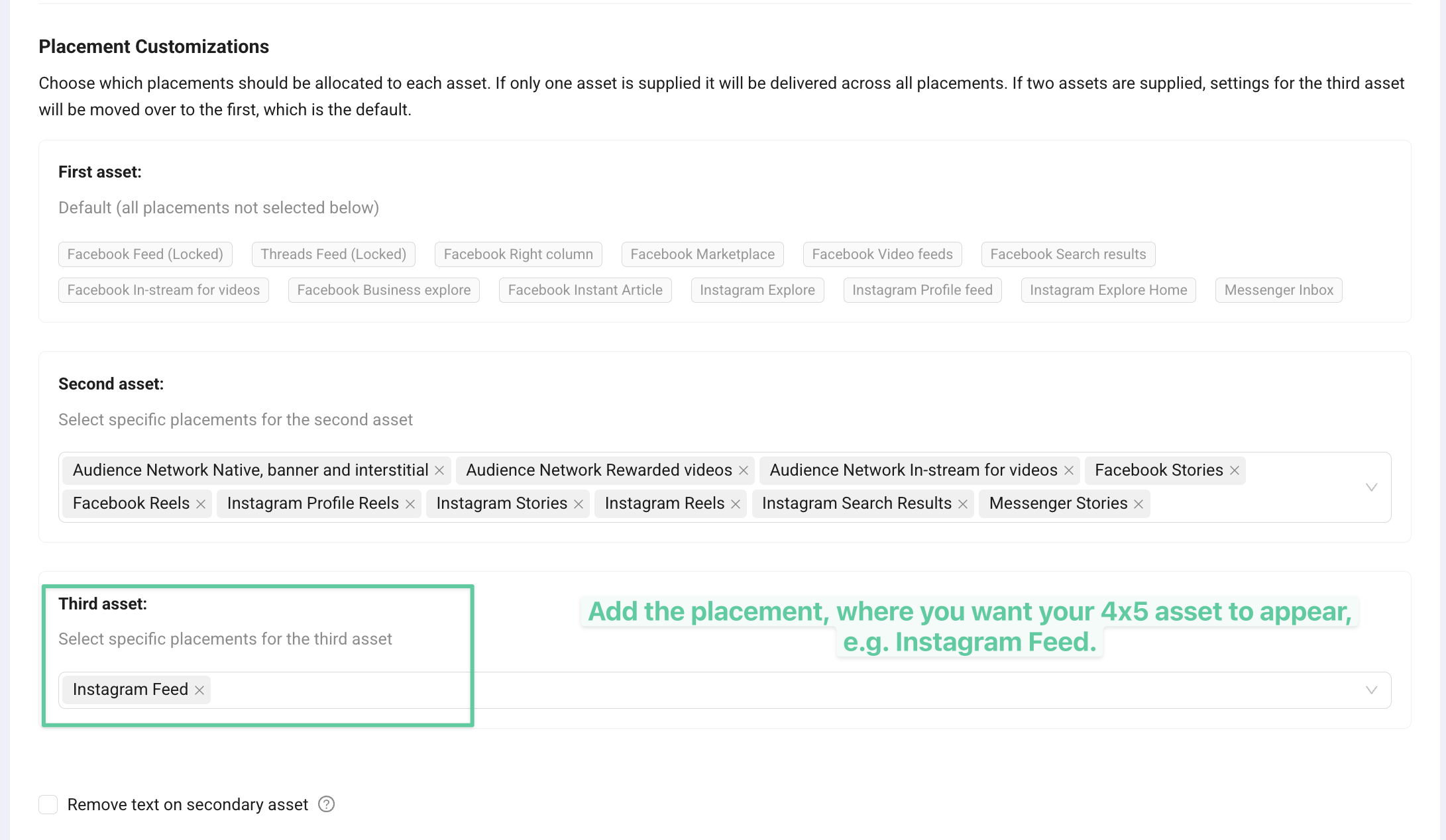
Step 4: That's it. Now upload asset in the correct order: 1x1, 9x16 and 4x5.