
Bulk Actions for Published Ads
These actions become available when selecting published rows inside the sheet.
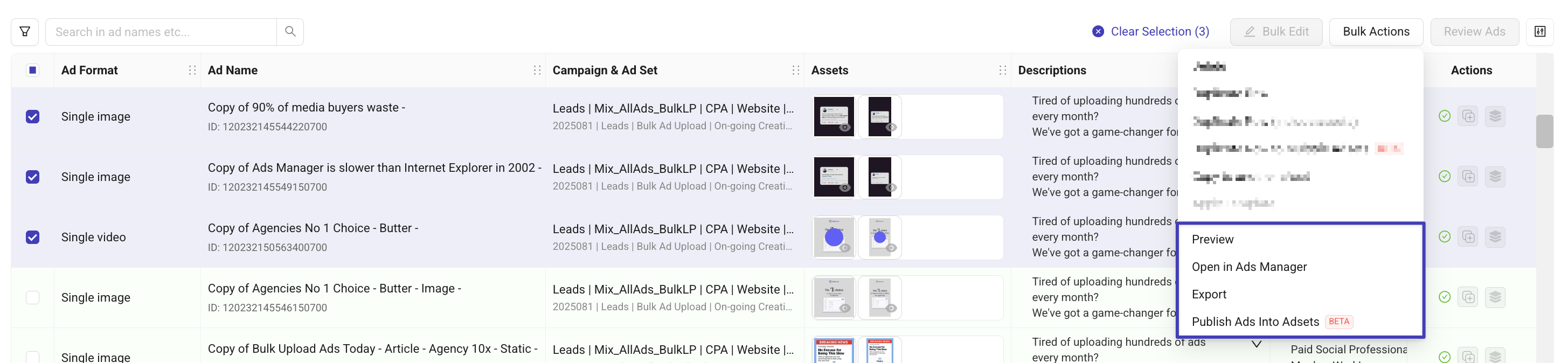
Preview
Opens the live ad preview in Meta to quickly show stakeholders how the ad appears.
Open in Ads Manager
Opens the ad directly in Meta Ads Manager for QA, adjustments, or review.
Export
Exports all selected published ads, including:
Ad Name
Preview URL
Ad ID
Launch date (if applicable)
and more...
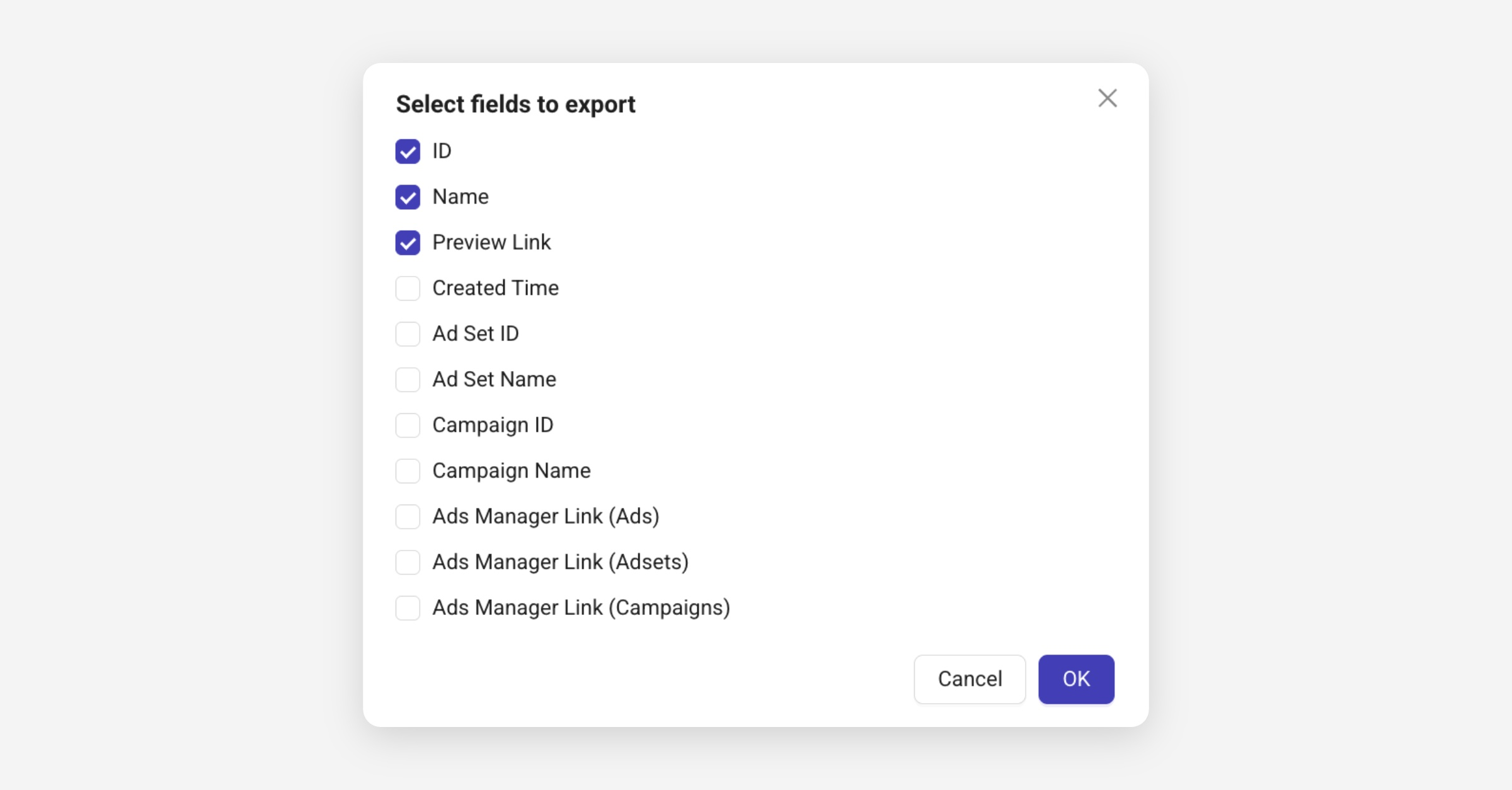
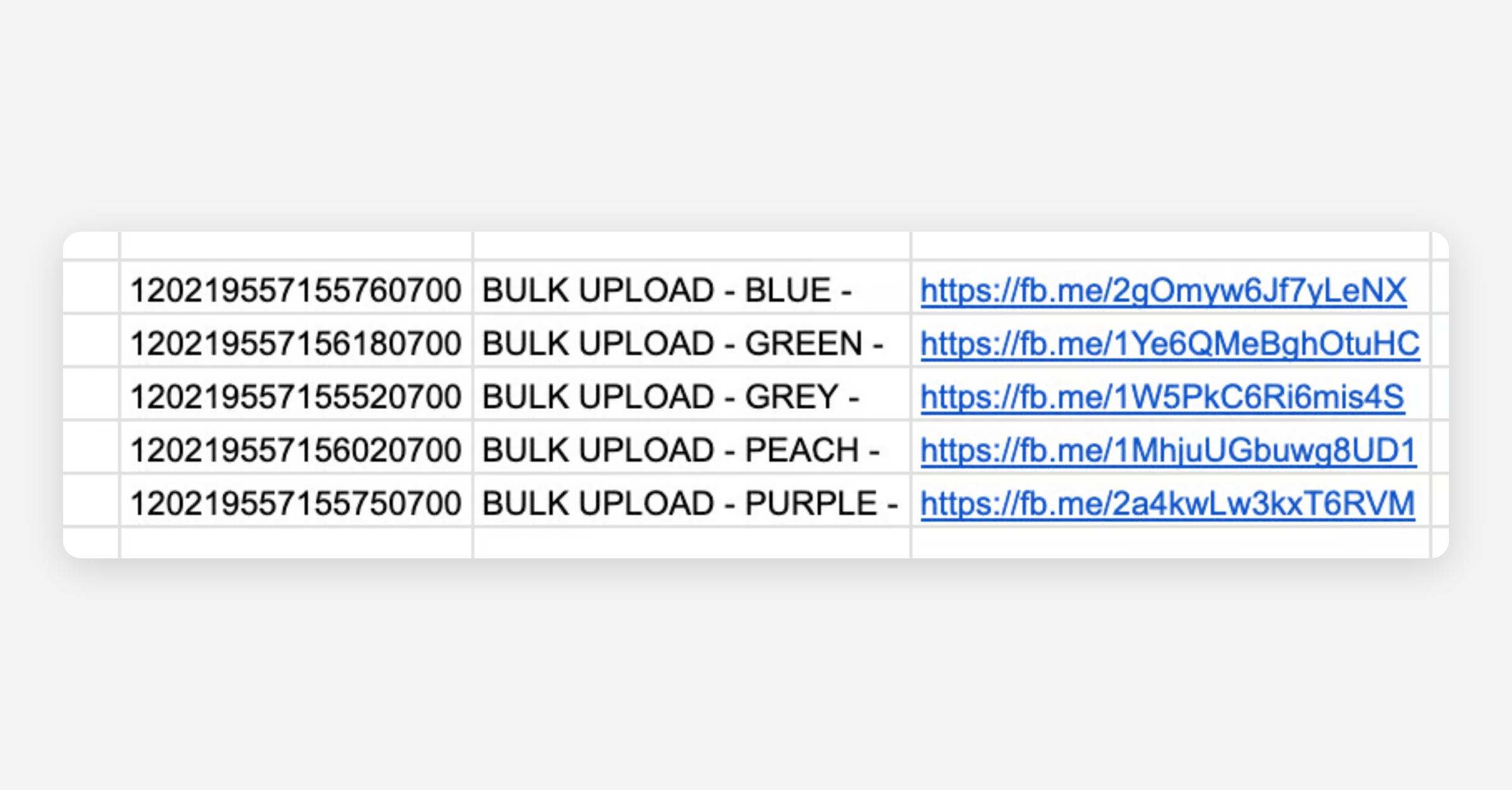
Values are copied to your clipboard so you can paste them into Google Sheets or client docs.
Publish Ads Into Adsets (BETA)
This feature lets you take already published ads and publish them into additional ad sets using the same creative ID.
No drafts are created ads are published instantly.
Why this matters?
Reuses the creative ID → keeps social proof across placements
Easier and more reliable than reusing Post IDs
Ideal for scaling a winning ad into new ad sets without rebuilding anything
Learn more about creative ID here ≫
How does it work?
Select published ads
Bulk Actions → Publish Ads Into Adsets (BETA)
Choose target ad sets
Confirm publishing
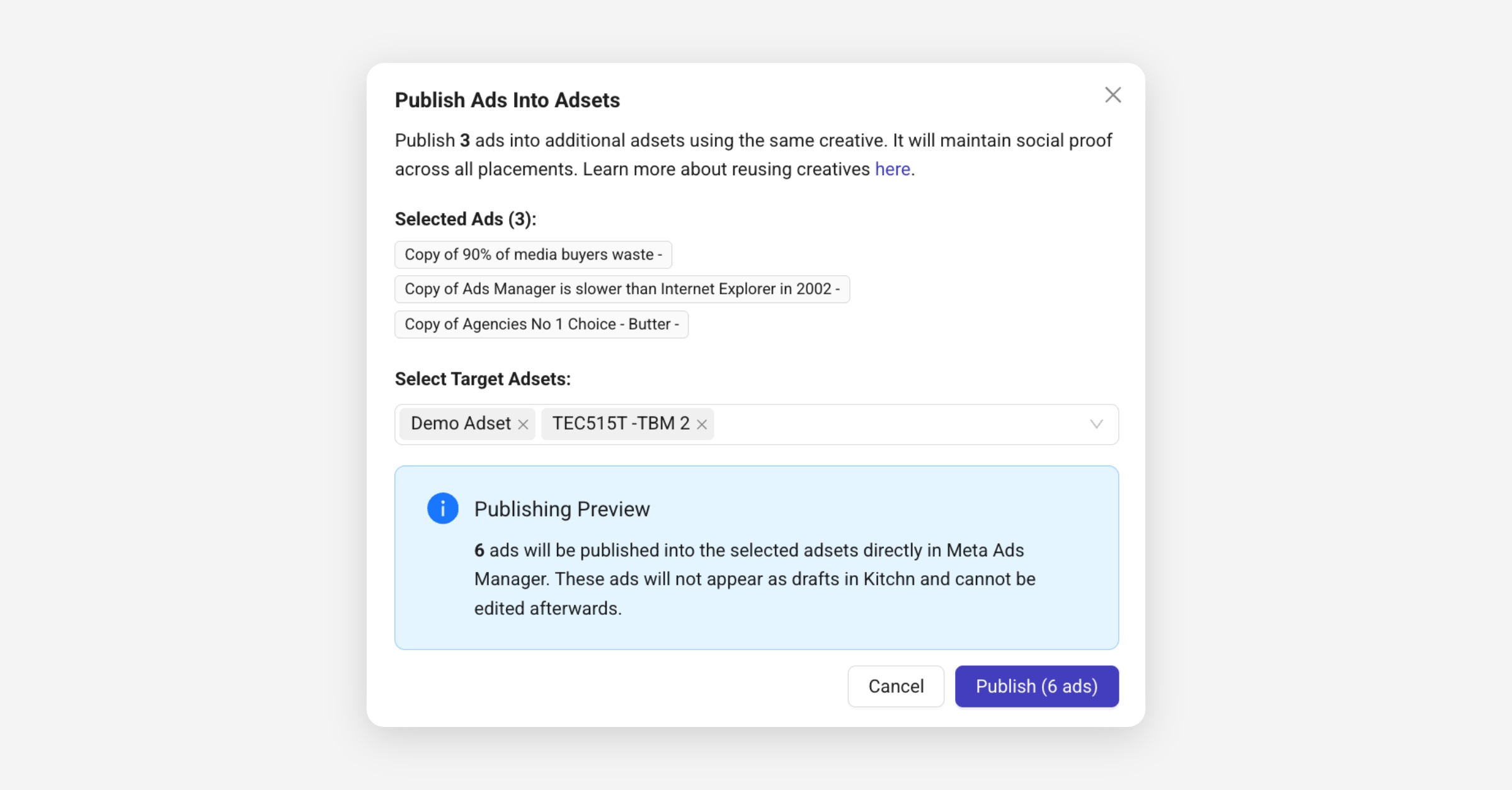
New ads will immediately appear as published and locked in Kitchn.
They cannot be edited inside Kitchn because they skip the draft stage.
If you'd like to have access, you can request Support to join the Beta. 💬