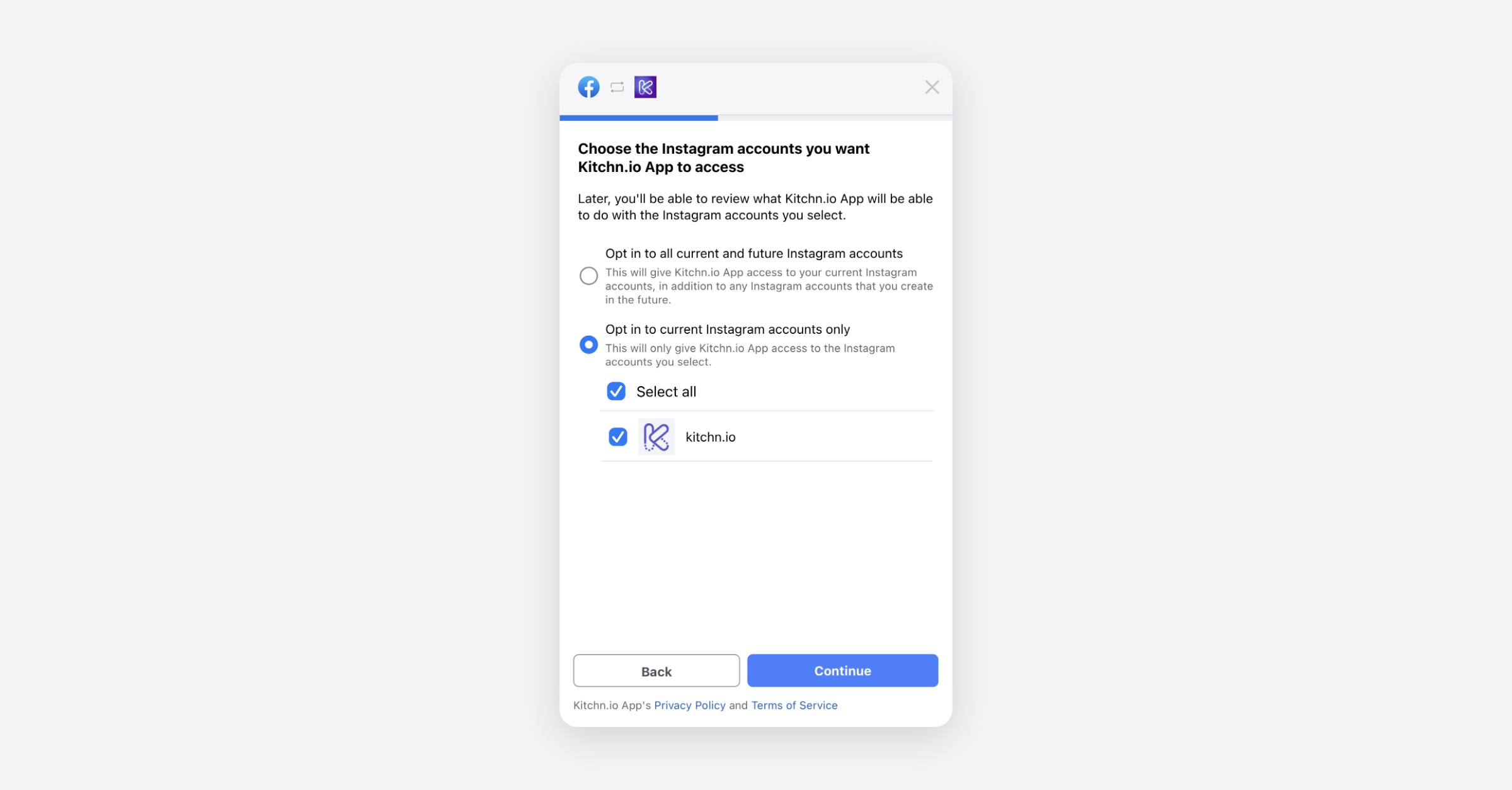
Why does an Instagram Account not show up?
When an Instagram account can not be selected, it means that the Kitchn.io App doesn't know of this account. This could happen either because the user who connected their Facebook account to Kitchn.io does not have access to the account, or because the user has not shared permissions for this account with the Kitchn.io App.
How to Fix:
Verify Business Manager Access
The user who created the Facebook connection should check their permissions in Business Manager.
Ensure they have the required access to the relevant Instagram Accounts
Re-authorize the Connection
Navigate to the Facebook Integration Settings in Kitchn.io.
Click on Reconnect
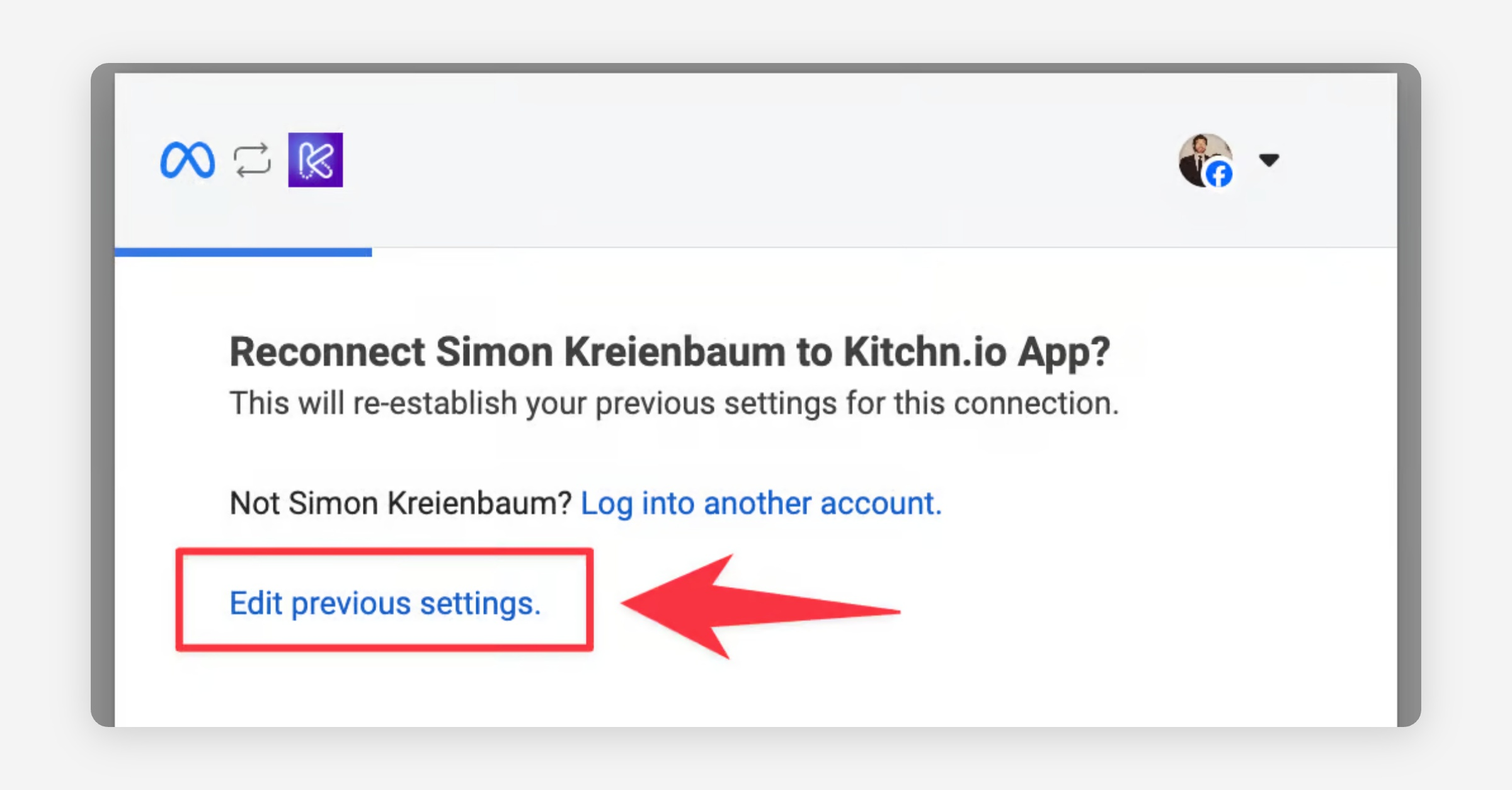
Once redirected to Meta, click "Edit previous settings"
After clicking through Facebook Pages and Business Manager accounts, in the third step you will be asked to select Instagram accounts you want to be able to access within Kitchn.io. You can either select all current and future Instagram accounts or choose the specific ones you want to be able to access - that way you’ll have to reconnect every time you get access to a new IG account.