
Schedule Ads
Ad-level Scheduling is possible on all new sheets.
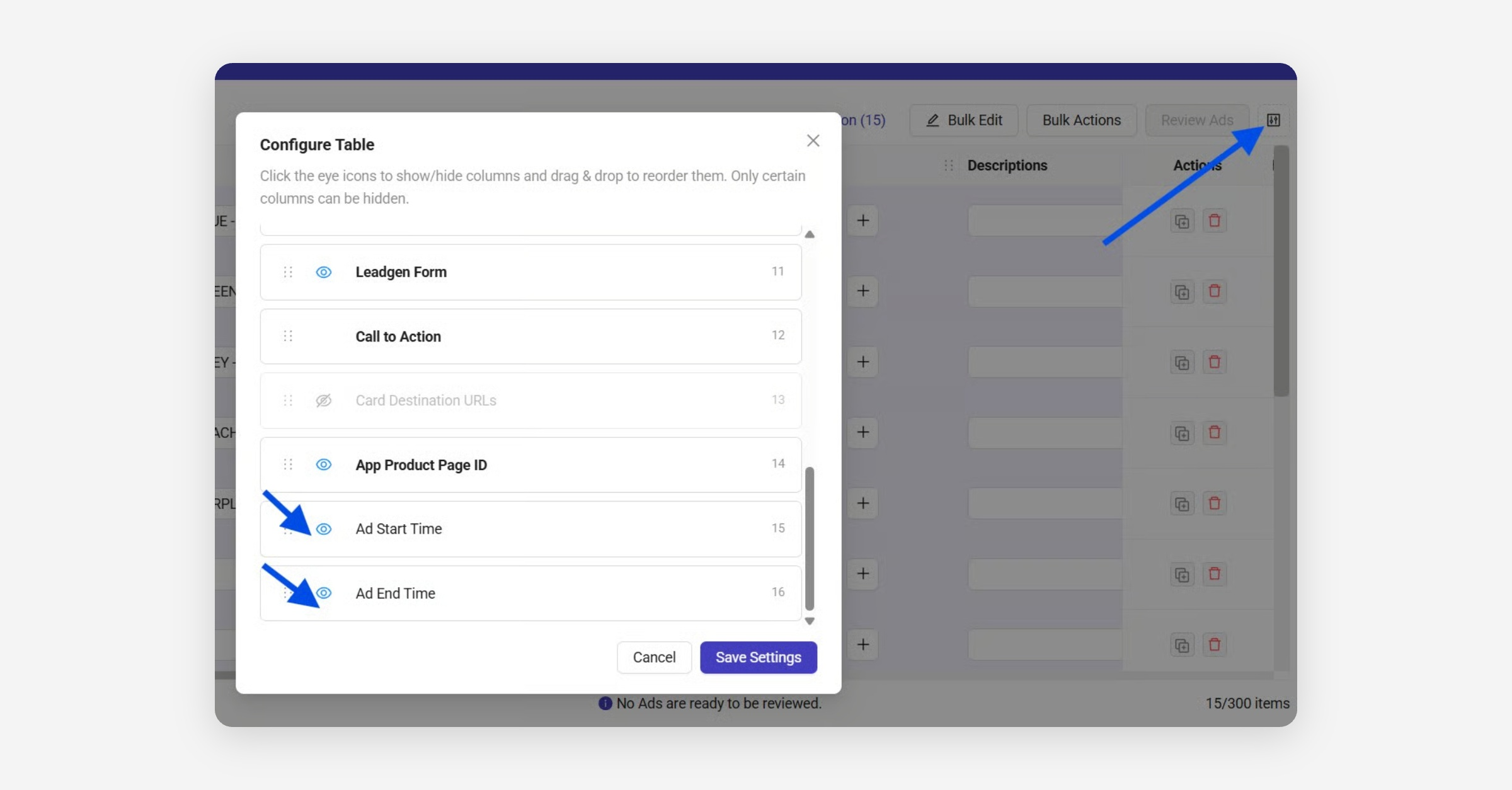
You can enable Start & Stop Date columns using the new Table configuration option:
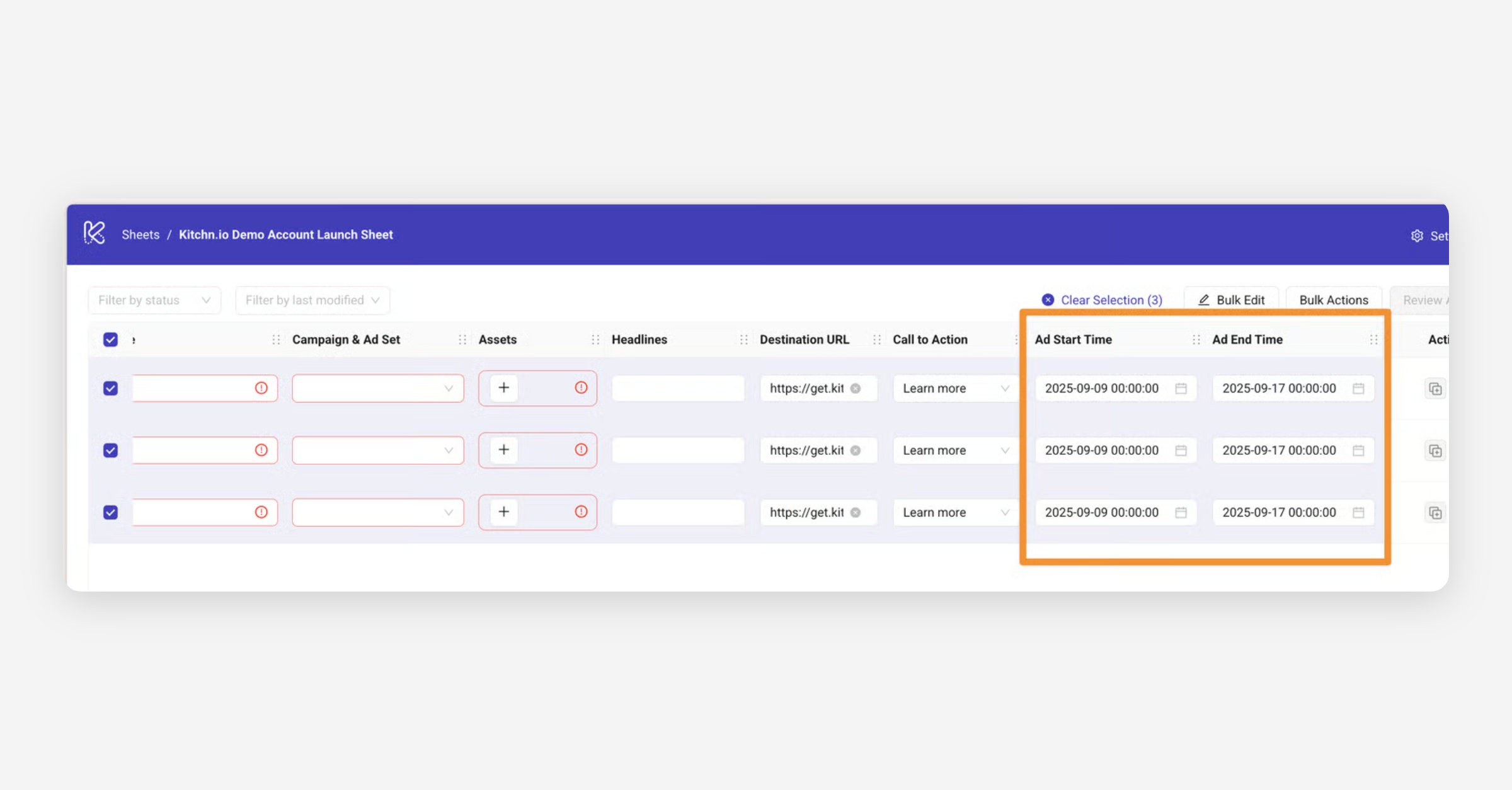
The Ad start time, and Ad end time can be set row by row, or in bulk:
⏰ Timezone behavior
When scheduling ads at the ad level, the selected date and time are interpreted based on the ad account’s timezone, not your local timezone.
How it works
When you select a date and time in the Launch Sheet:
Your browser reads it in your local timezone
Kitchn sends that time to Meta
Meta then displays it in the ad account’s timezone
📌 Example
Your timezone: UTC+4
Ad account timezone: UTC
You select:
10:15 in the Launch Sheet
What happens:
Your browser interprets → 10:15 (UTC+4)
Meta displays → 06:15 (UTC)
Same moment in time, different timezone display
How to set it correctly
To ensure your ads run at the intended time:
Always set the time based on the ad account’s timezone, not your local time
💡 Tip
If you're working across timezones:
Double-check the ad account timezone in Meta
Convert your desired launch time accordingly before setting it in Kitchn