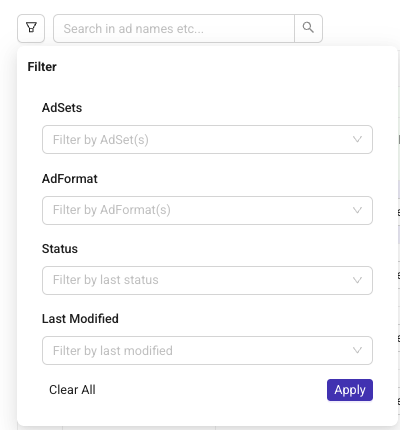
Filter Rows
To keep your Launch Sheet clean and easy to navigate, you can use filters to narrow down the rows displayed.
You can filter by:
Status (for example: rows with errors, drafts, or launched ads)
Last modified (Today, Last 3 days, Last week)
Ad format
Ad set
Filters only affect what is shown in the sheet and do not impact your ads or publishing settings.
How to apply filters
Click the filter icon at the left corner of the sheet and select the criteria you want to apply.
Pro Tip
You can combine multiple filters to quickly focus on exactly what you’re looking for. For example, ads with errors that were modified today.
Filters only affect what is shown in the sheet and do not impact your ads or publishing settings./